Degree Audit & Curriculum Management
Degree audit software built for complex academic requirements
Every academic program has its own rules, exceptions, and requirements. FlightPath handles that complexity while giving advisors and students a clear picture of progress toward graduation.
Degree requirements
A clear degree plan, even when requirements get complicated
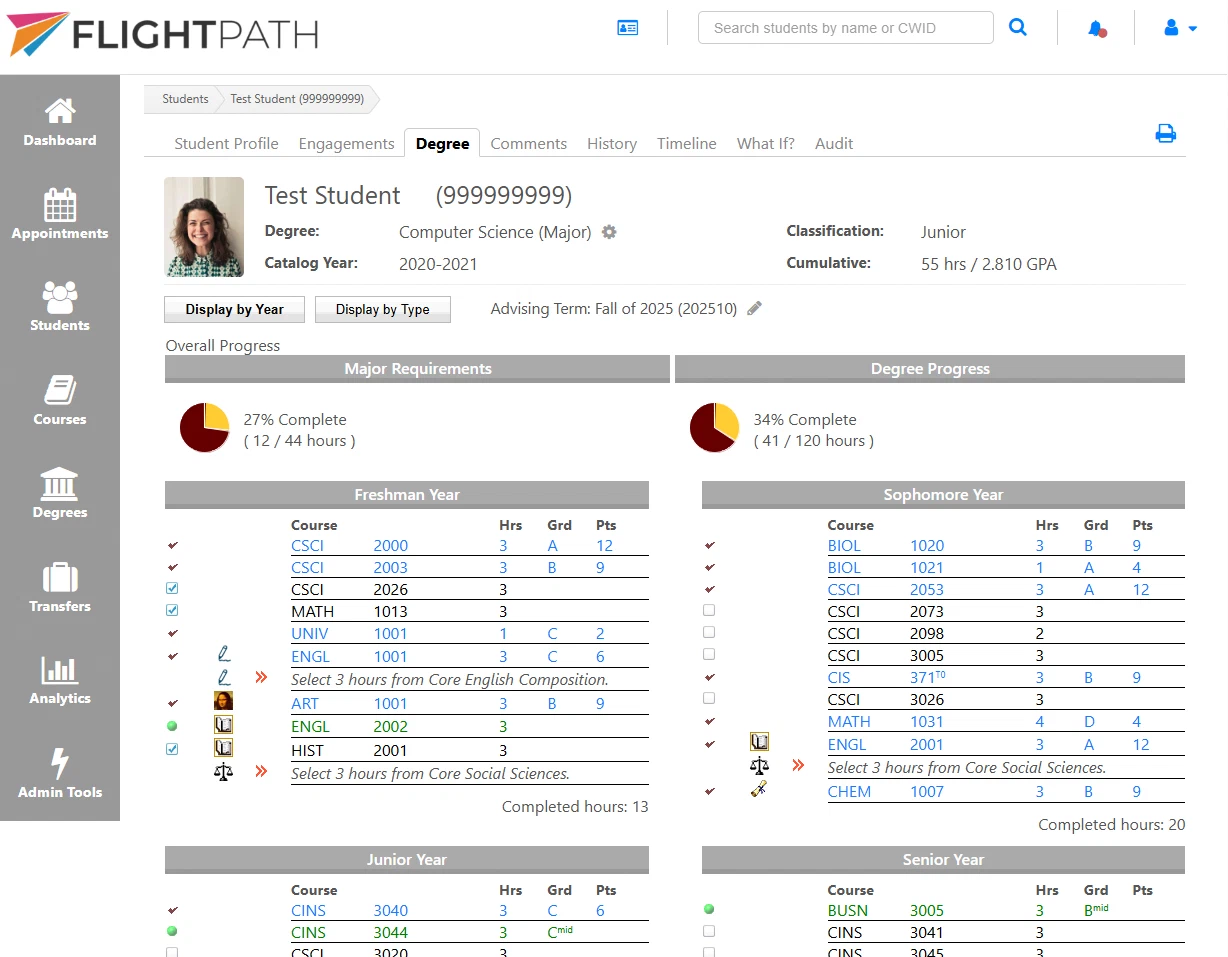
FlightPath automatically evaluates student coursework against your institution’s degree requirements, eliminating much of the manual work involved in tracking academic progress.
Catalog-specific requirements
Evaluate students against the curriculum for their assigned catalog year, even as degree requirements change.
Multiple academic programs
Combine requirements for multiple majors, minors, concentrations, and tracks in a single degree plan.
Automatic progress calculations
Track completed credits, remaining requirements, and progress across different areas of a degree.
What-If degree evaluations
See how completed, transferred, and in-progress coursework would apply toward other academic programs.
Advanced degree requirements
Flexible rules for complex curricula
From elective requirements to repeated coursework, FlightPath accommodates the academic rules that make each program unique.
Flexible elective groups
Define eligible courses, required credit hours, and priorities for automatically applying coursework.
Minimum grade requirements
Set minimum acceptable grades for individual requirements or elective groups, even when the same course appears in different programs.
Credit-hour requirements
Support fixed or ranged credit requirements, with automatic calculations and degree-specific total-hour overrides.
Course repeat policies
Support best-grade and most-recent-attempt policies, along with courses designed to be repeated for additional credit.
Prerequisite evaluation
Evaluate prerequisites using completed, transferred, and in-progress coursework, with warnings advisors can override.
Cross-listed courses
Recognize courses offered under multiple subject codes as the same underlying course when evaluating degree requirements.
Curriculum management
Build and preview new catalogs before publishing
Prepare changes to courses, degree plans, and elective groups in draft mode while students and advisors continue using published requirements.
When everything is ready, publish the changes together. Previous catalog years remain available for students following earlier requirements.
- Maintain separate requirements for each catalog year
- Create and edit courses, degree plans, and elective groups
- Copy an existing catalog year to start a new one
- Preview drafts before publishing changes

Course substitutions
Handle substitutions down to the credit hour
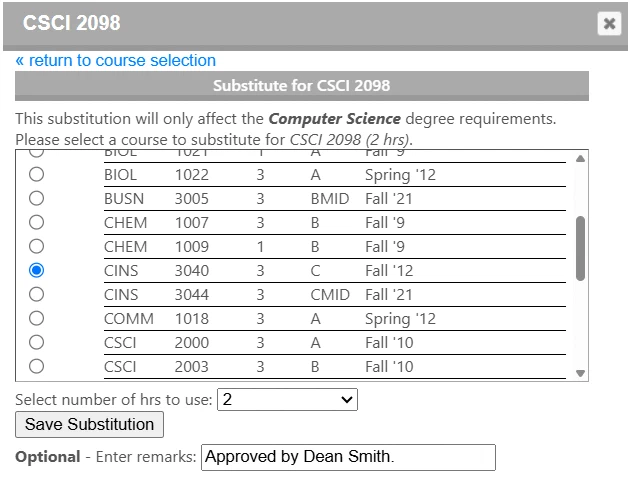
Not every completed course fits neatly into a degree requirement. FlightPath lets authorized staff substitute coursework, apply only the credits needed, and document the reason for an exception.
Remaining credits can be applied toward other requirements, including fractional credit hours.
- Substitute completed coursework for specific requirements
- Split a course’s credits across multiple requirements
- Record who performed each substitution and why
- Display substitution details on the student’s degree plan
Graduation readiness
Review graduation requirements and approvals
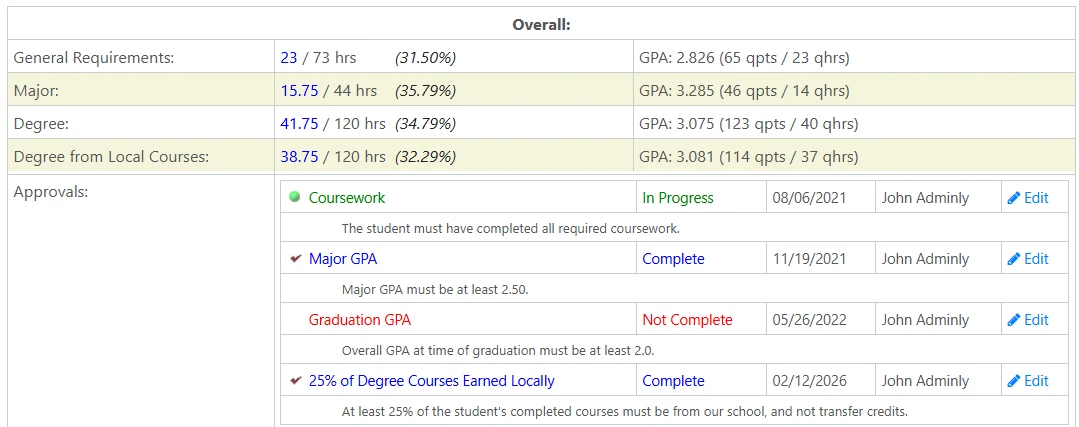
- Review credits, GPA, and degree completion
- Track institution-specific graduation approvals
- Record statuses, dates, and responsible staff
Have a complicated degree program?
Show us your curriculum. We’ll demonstrate how FlightPath handles complex requirements, substitutions, and graduation reviews.