Integrations
Fits into your campus technology environment
FlightPath works with your existing SIS, authentication, communication, calendar, and video systems, so you don’t have to replace the technology your institution already depends on.
Student information systems
Connects with your SIS platform
- Ellucian Banner: FlightPath includes specialized support for Banner.
- PeopleSoft, Workday & Colleague: FlightPath works with major SIS platforms through secure, automated data exchange.
- Populi: FlightPath communicates directly with Populi through its API.
- Almost anything else: If your SIS can generate CSV reports, or permits outside access via API, FlightPath can import your data.
Communication
Email and text messaging
Keep student communication connected to the advising record. FlightPath lets advisors communicate with students by email and text without switching between systems, while keeping those interactions associated with the student’s record.
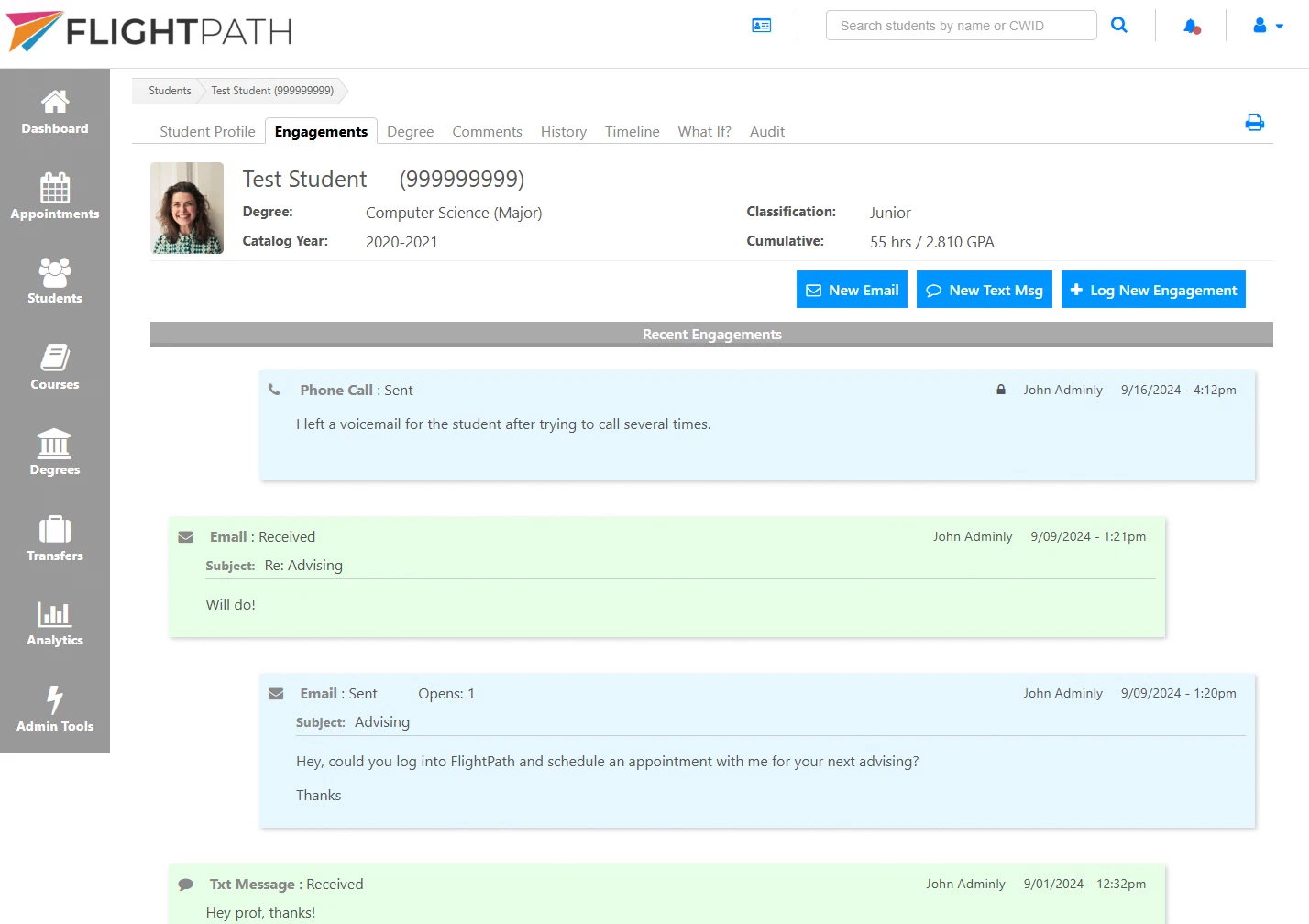
FlightPath sends and receives email directly, allowing advisors to communicate with students without leaving the advising platform.
Email conversations remain associated with the student’s record, giving advisors a complete view of their interactions.
Text messaging
FlightPath sends and receives text messages, giving advisors another convenient way to communicate with students.
Text conversations remain connected to the student’s advising history so important communication doesn’t get lost in a separate system.
Video appointments
Connect FlightPath with Zoom & Microsoft Teams
FlightPath integrates Zoom and Teams directly into the appointment scheduling workflow, while also checking advisors’ existing calendars to help prevent double-booking.
Zoom/Teams integration
FlightPath can create Zoom or Microsoft Teams meetings for virtual appointments and include the meeting information and link with the appointment.
Calendar availability
FlightPath uses Google Calendar, Outlook, and most other calendar systems to account for existing commitments when scheduling appointments.
Appointment scheduling
FlightPath manages the appointment scheduling workflow, allowing students and advisors to book available times.
Access and authentication
Fits into your campus experience
- Single sign-on: FlightPath supports your institution’s existing authentication system.
- Web portals: FlightPath fits into existing campus web portals and other authenticated environments.
- Mobile apps: FlightPath fits into a school’s mobile app, giving users access within an existing campus app experience.
Custom integrations
Need to connect another system?
- Flexible data exchange options
- Direct API integrations
- Institution-specific data requirements
- Custom development from the creators of FlightPath
Let’s talk about your campus systems
Tell us what SIS, authentication, communication, calendar, and video systems your institution uses. We’ll work with you to connect FlightPath to your existing technology.