Top Features
Everything you need to support student success
FlightPath combines advising, degree audit, early alerts, analytics, and communication tools in a single easy-to-use platform.
Academic advising
Advising and degree planning
Confident degree planning for even the most complex academic programs.
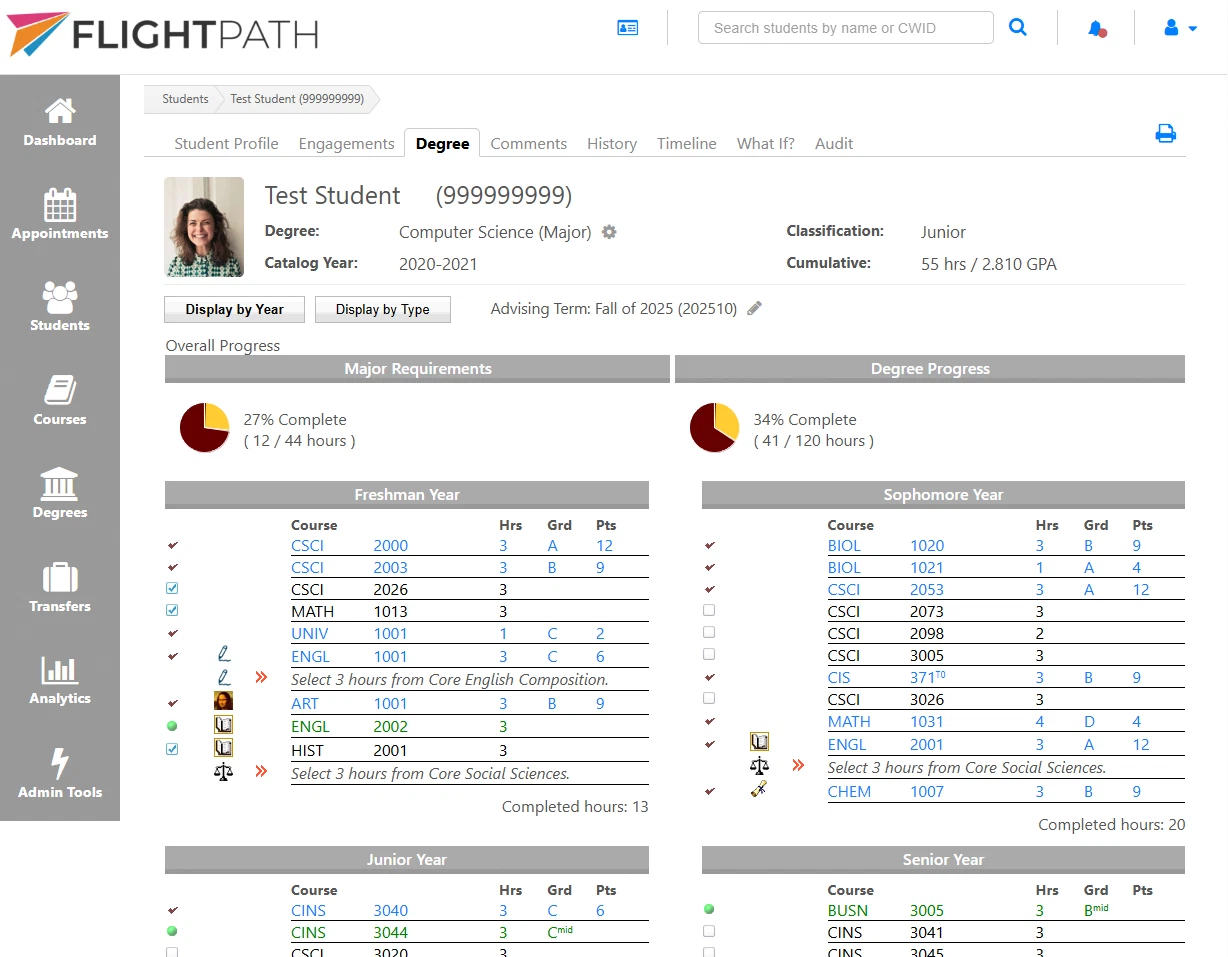
Point-and-click advising
Advise students with a simple, intuitive interface. Even several semesters into the future.
Degree audit & progress
Track progress toward graduation with GPA and credit requirements organized by category.
What-if exploration
Compare degree plans before a student changes majors, and instantly see how completed coursework applies.
Transfer credit & substitutions
Automatically apply transfer equivalencies and approve substitutions or exceptions with a click.
Notes, files & comments
Keep notes, files, and comments in one place, with visibility controlled for students and faculty.
Complete advising history
Every advising session is recorded, so any advisor can pick up right where the last one left off.
Student success
Early alerts and analytics
Find the students who need help while there’s still time to make a difference.
Automated early alerts
Receive notifications before a student falls behind, based on criteria your institution defines.
At-risk indicators
Intelligent risk indicators update automatically as grades, attendance, and other student data change.
Predictive analytics
Identify high-priority students using customizable criteria and monitor trends across your institution.
Progress monitoring
Track grades, registration, and degree progress in one interactive system.
Intervention tracking
Document advisor outreach and student interactions to maintain a complete support history.
Microcredentials & badges
Track certificates, stackable credentials, digital badges, and other student achievements.
Communication
Reach students where they are
Student success starts with timely conversations. FlightPath keeps them all in one place.
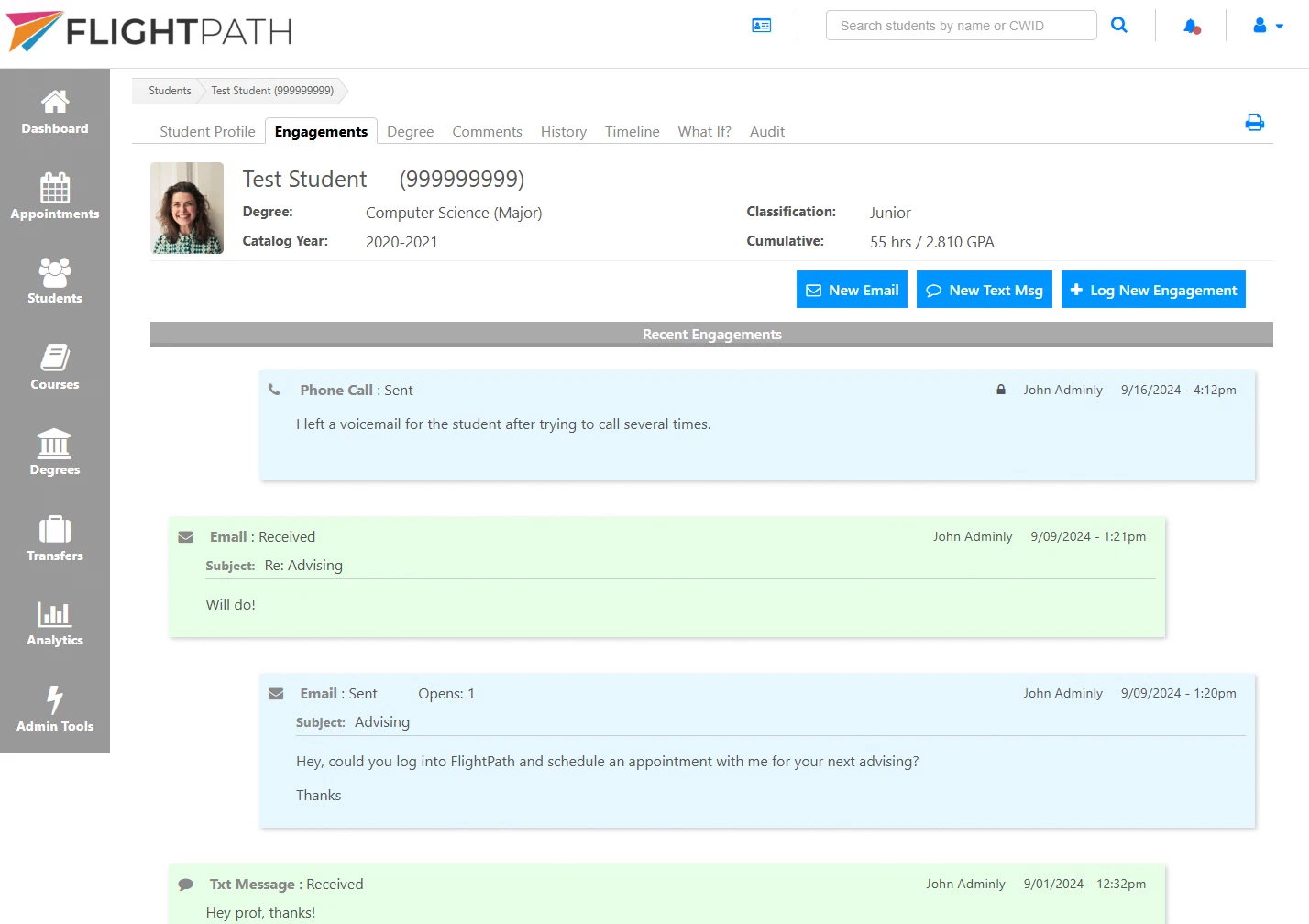
Text & email from FlightPath
Send and receive emails and text messages without leaving FlightPath.
Appointment scheduling
Students book advising appointments based on your real availability. No back-and-forth required.
Interaction tracking
Keep every phone call, email, text, and meeting in one complete advising record.
Campus app integration
Embed FlightPath into your institution’s existing mobile app for a seamless student experience.
For students
A clear view students actually use
A clean, intuitive interface that helps students understand their progress and stay engaged every step of the way.
Degree plan at a glance
Requirements, degree progress, grades, and GPA all organized into clear categories.
Course guidance
Browse advisor-recommended courses, course descriptions, scheduled offerings, and sample syllabi.
Try out other majors
Instantly see how completed coursework applies to another major.
Stay connected
Stay in touch with advisors through messages, comments, and online appointment scheduling.
Implementation & integration
Fits into your campus, not the other way around
- Integrations with campus systems like your SIS, LMS, SSO, and more
- We import your existing data to get you online quickly
- Customize branding, terminology, and workflows to fit your institution.
- Supports complex curricula, substitutions, and transfer rules
- Custom development and support from the creators of FlightPath
Schedule your demo of FlightPath today
See every feature in a personalized walkthrough, with scenarios drawn from your own programs and curriculum.